使用须知 语雀 「语雀」是一个「专业的云端知识库」,孵化自 蚂蚁金服 ,是体验科技 理念下的一款创新产品,不仅是 10 万阿里员工进行文档编写、知识沉淀的标配,也在成为更多人养成编写文档习惯的平台。
Hexo Hexo 是一个快速、简洁且高效的博客框架。Hexo 使用 Markdown (或其他渲染引擎)解析文章,在几秒内,即可利用靓丽的主题生成静态网页。
yuque-hexo 一个开源 hexo 库 ,可以快速实现拉取语雀知识库到 hexo 的 source/_post 目录下。
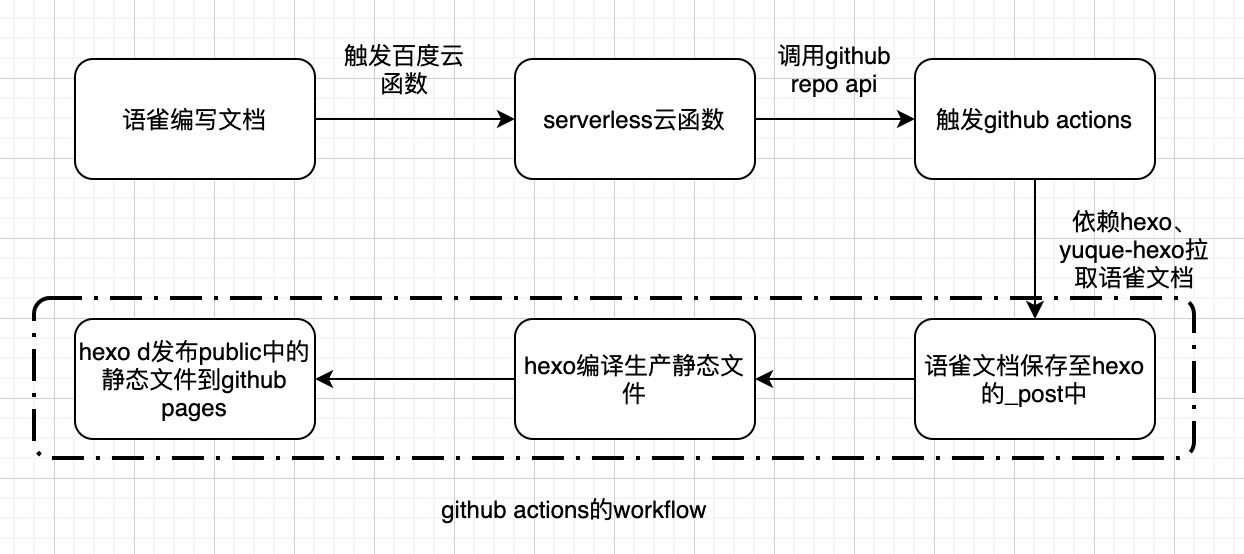
构建流程 语雀发布文章通过 webhook 触发云函数,云函数请求 github 的 repo pushlish 执行 github actions 工作流,在工作流中执行环境配置、语雀知识库的拉取、生成和发布。
创建 blog 安装 hexo 创建项目 创建完项目可以看到 package.json 中执行命令:
1
2
3
4
5
6
"scripts": { "build": "hexo generate", "clean": "hexo clean", "deploy": "hexo deploy", "server": "hexo server", },
预览 1 2 $ npm run build # 生成 $ npm run server # 启动服务
浏览器输入http://localhost:4000即可访问
配置主题 主题下载 选取自己喜欢的主题,下载或者 clone 到 hexo 项目中。 e: 以Butterfly 为例,在你的 Hexo 根目执行:
1 git clone -b master https://github.com/jerryc127/hexo-theme-butterfly.git themes/butterfly
或者手动下载主题拷贝到 theme 目录下,具体配置参照Butterfly 主题配置。
注意事项
删除主题目录下的.git
因为在仓库里面再放一个仓库是没法把里面那个仓库 push 到 github 的,只会传一个空文件夹,会导致后期博客成了空白页面,需要把 git clone 的 hexo 主题里的.git 文件夹给删掉。
修改 hexo 主题文件中的 meta
打开主题文件的 /themes/butterfly/layout/includes/head.pug,在 meta (name=”theme-color” content=themeColor) 后方添加 meta (name=”referrer” content=”no-referrer”),确保语雀中的图片可以正常加载。
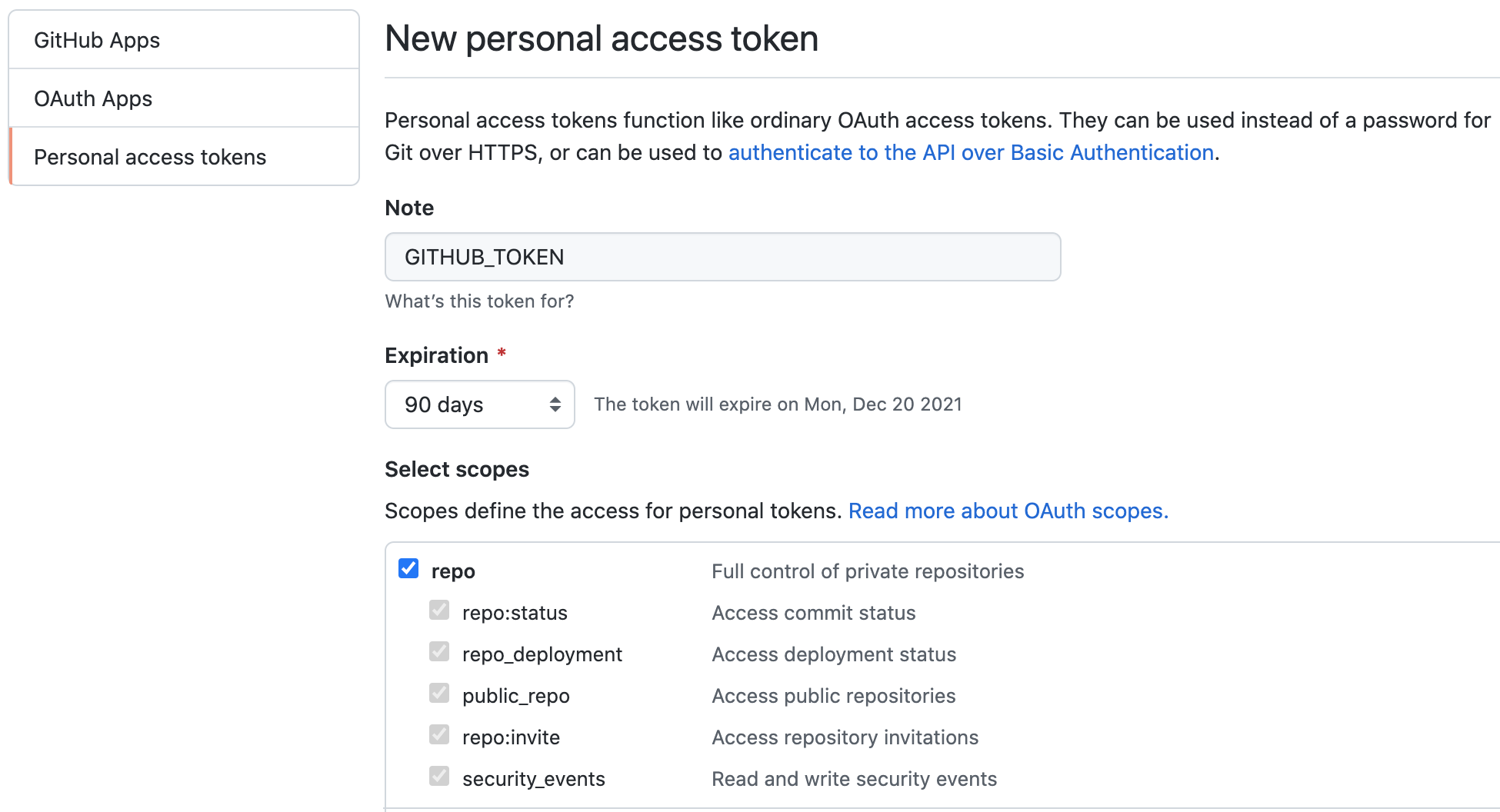
github 访问私钥 github 右上角头像 -> Settings -> Developer settings -> Personal access tokens -> Generate new token
发布配置 在 hexo 的_config.yml 最后添加以下配置:
1 2 3 4 5 6 7 # Deployment ## Docs: https://hexo.io/docs/one-command-deployment deploy: type: git repository: github: https://MisterZhouZhou:github用户访问私钥@github.com/用户名/用户名.github.io.git branch: master
同步语雀文档 安装 yuque-hexo 1 npm install yuque-hexo -S
修改 package.json 新增调试命令 scripts 中新增sync、clean:yuque、start三个命令
yuqueConfig 新增 yuqueConfig,login、repo、token为语雀文档的配置参数。
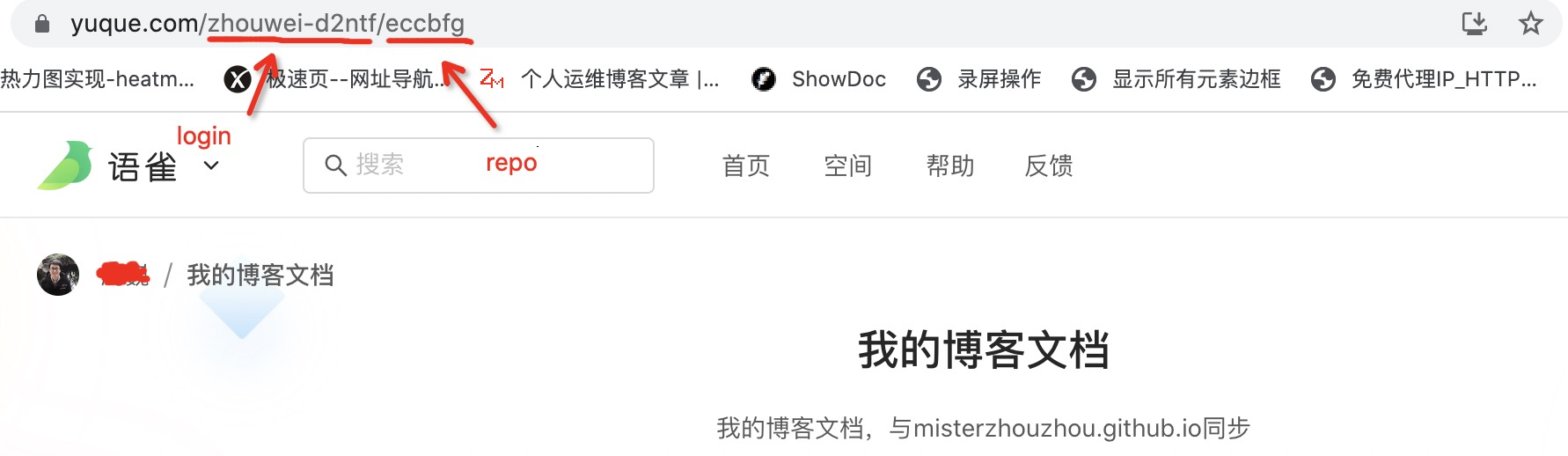
点击进入博客的知识库,在浏览器地址栏中将用户名和仓库名复制分别粘贴为”login”、”repo” 的字段
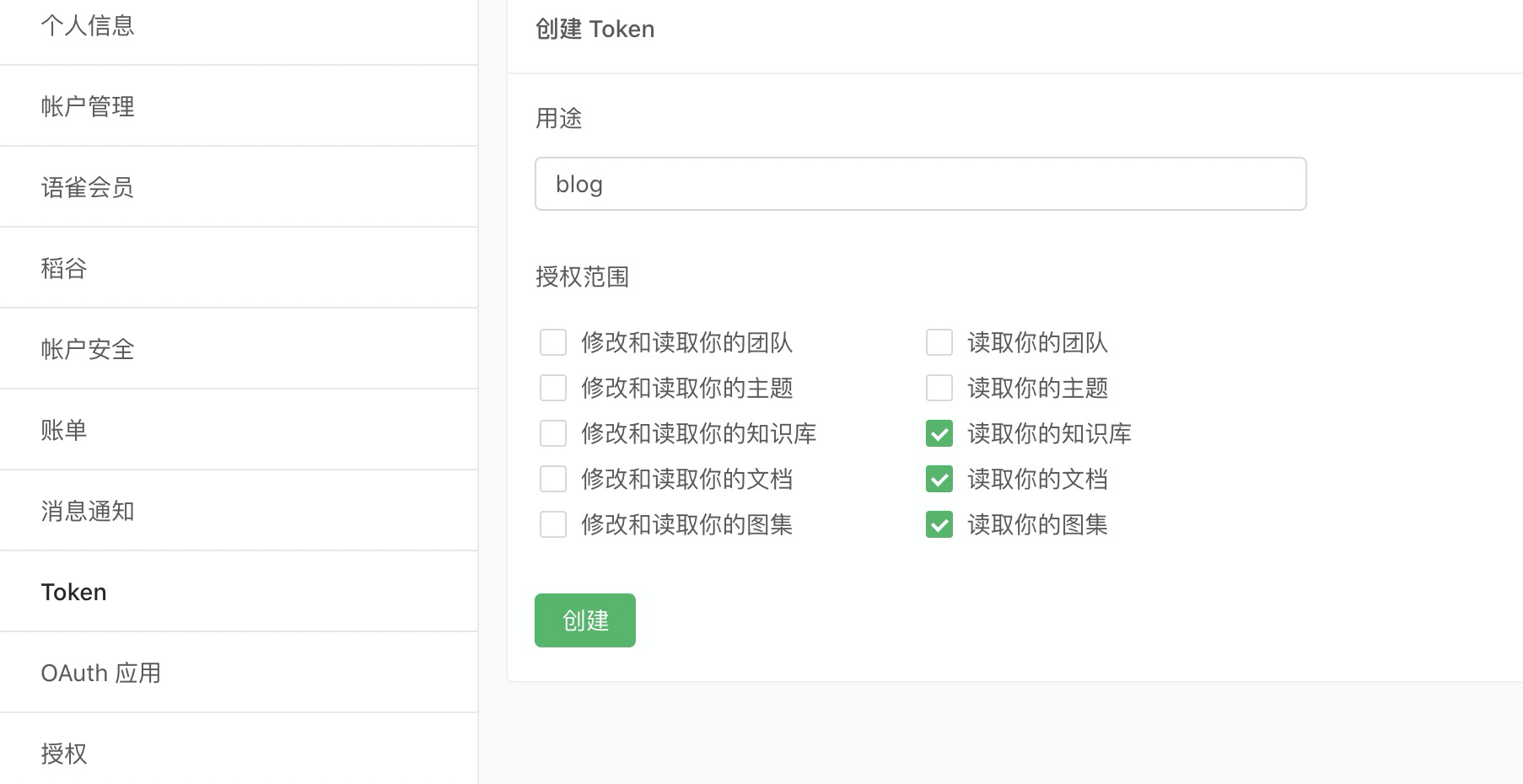
点击右上角头像 -> 账户设置 -> Token -> 新建,选择读取知识库、文档和图集即可。复制粘贴获取的token。
package.json 如下:
1 2 3 4 5 6 7 8 9 10 11 12 13 14 15 16 17 18 19 20 21 22 23 24 25 26 27 28 29 30 31 32 33 34 35 36 37 38 39 40 41 42 43 44 45 { "name": "hexo-site", "version": "0.0.0", "private": true, "scripts": { "build": "hexo generate", "clean": "hexo clean", "deploy": "hexo deploy", "server": "hexo server", "sync": "yuque-hexo sync", "clean:yuque": "yuque-hexo clean", "start": "yarn clean:yuque & yarn sync & hexo generate & hexo server" }, "yuqueConfig": { "postPath": "source/_posts", "cachePath": "yuque.json", "mdNameFormat": "slug", "adapter": "markdown", "concurrency": 5, "baseUrl": "https://www.yuque.com/api/v2", "login": "zhouwei-d2ntf", "repo": "eccbfg", "token": "************", "onlyPublished": true, "onlyPublic": true }, "hexo": { "version": "5.4.0" }, "dependencies": { "hexo": "^5.0.0", "hexo-generator-archive": "^1.0.0", "hexo-generator-category": "^1.0.0", "hexo-generator-index": "^2.0.0", "hexo-generator-tag": "^1.0.0", "hexo-renderer-ejs": "^1.0.0", "hexo-renderer-marked": "^4.0.0", "hexo-renderer-pug": "^2.0.0", "hexo-renderer-stylus": "^2.0.1", "hexo-server": "^2.0.0", "hexo-theme-landscape": "^0.0.3", "hexo-wordcount": "^6.0.1", "yuque-hexo": "^1.7.0" } }
本地调试 在终端输入以下命令,浏览器输入localhost:4000查看效果。
仓库 需要准备两个仓库,一个存放blog源码(公开/私有),一个存放blog静态文件。
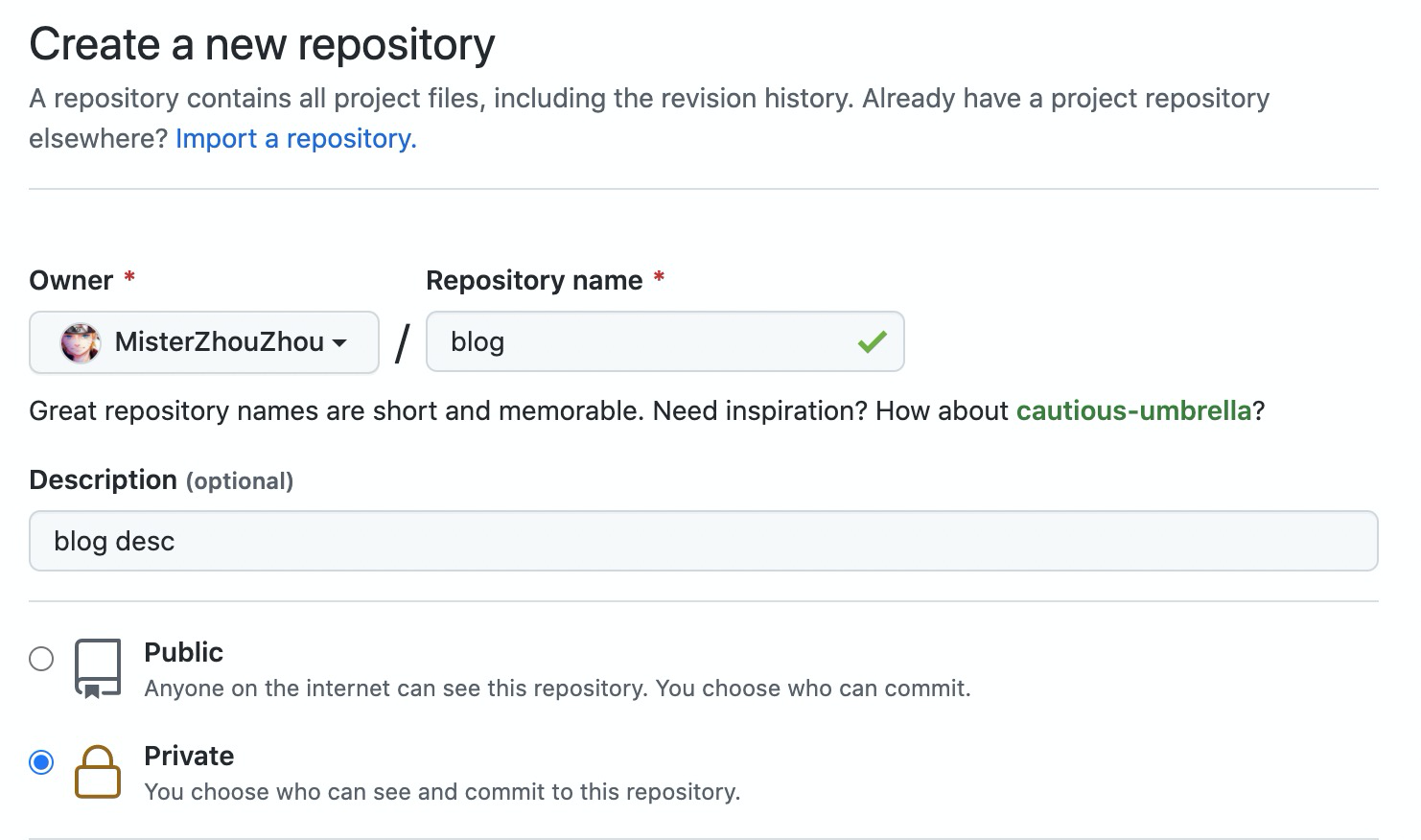
源码仓库 用于存储你的 blog 代码以及触发 git actions,你可以创建私有仓库(建议)也可以创建共有仓库。创建出来默认主分支为 main
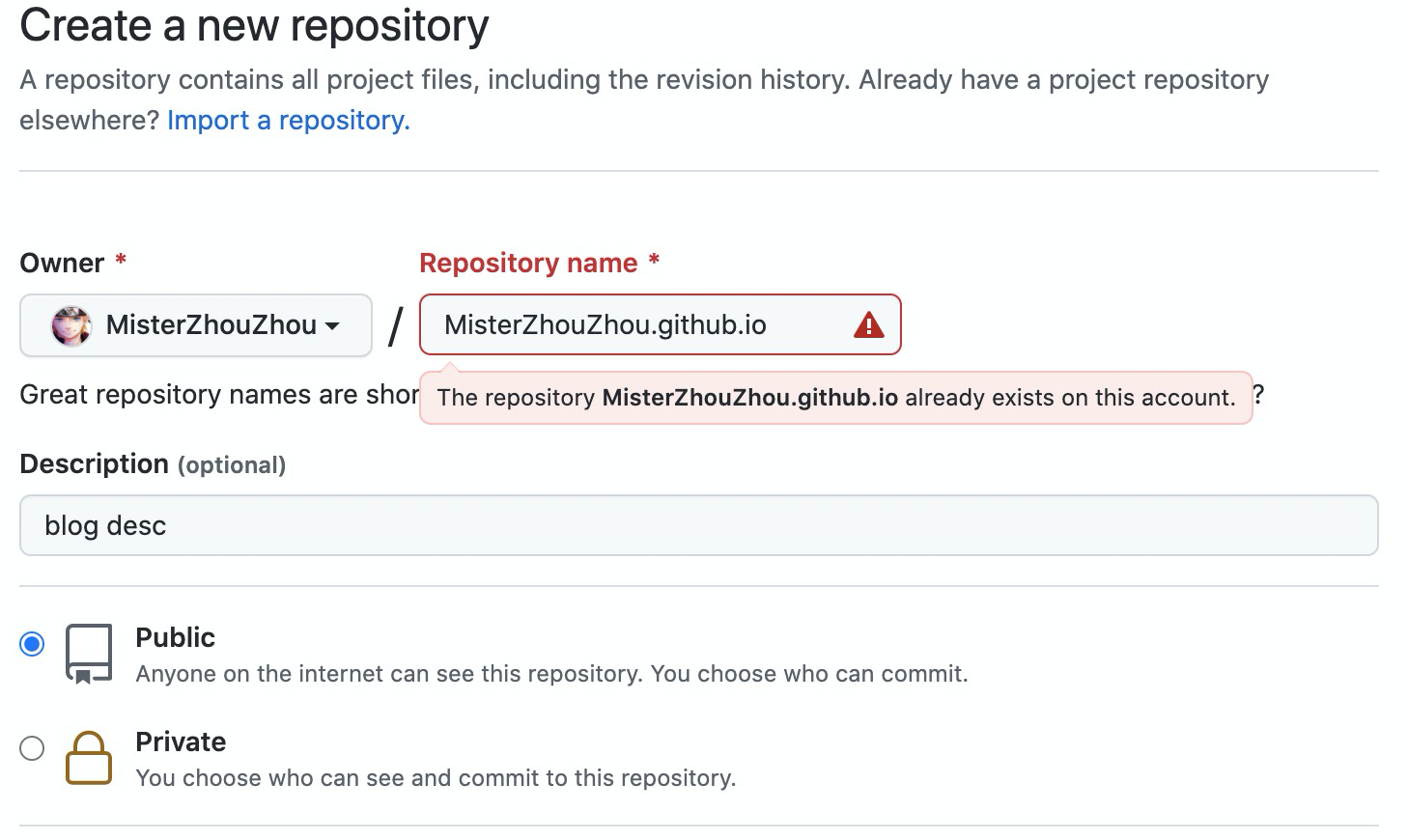
共有仓库 此仓库必须为 public(公开)的,部署你的博客及博客访问,命名格式: 你的用户名.github.io,存储 hexo 生成的静态页面。
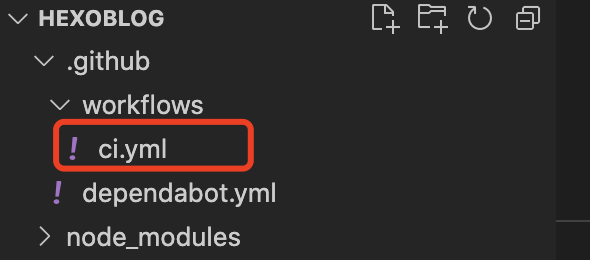
git actions 在 blog 根目录下新建.github文件夹(注意带点),在该文件夹下新建 workflows 文件夹并新增 ci.yml
1 2 3 4 5 6 7 8 9 10 11 12 13 14 15 16 17 18 19 20 21 22 23 24 25 26 27 28 29 30 31 32 33 34 35 36 37 38 39 40 41 42 43 44 45 46 47 48 49 50 51 52 53 54 55 56 57 58 59 60 61 62 63 64 65 66 67 68 name: 自动部署 # 当有改动推送和语雀发布时,启动Action on: [push, repository_dispatch] jobs: deploy: runs-on: ubuntu-latest env: TZ: Asia/Shanghai steps: - name: 检查分支 uses: actions/checkout@v2 with: ref: main #2020年10月后github新建仓库默认分支改为main,注意更改 - name: 安装 Node 12 uses: actions/setup-node@v1 with: node-version: "12.x" - name: 安装 Hexo run: | npm install hexo-cli -g #npm install gulp-cli -g #如果你有使用gulp的话,打开上面这一行 npm install yuque-hexo -g yuque-hexo clean yuque-hexo sync - name: 更新 语雀拉取缓存及文章 #更新yuque 拉取的文章到GitHub仓库 run: | echo `date +"%Y-%m-%d %H:%M:%S"` begin > time.log git config --global user.email "xx@xx.com" git config --global user.name "你的用户名" git add . git commit -m "同步文章" -a - name: 推送 语雀拉取缓存及文章 #推送修改后的yuque json uses: ad-m/github-push-action@master with: github_token: ${{ secrets.GITHUB_TOKEN }} - name: 缓存 Hexo uses: actions/cache@v1 id: cache with: path: node_modules key: ${{runner.OS}}-${{hashFiles('**/package-lock.json')}} - name: 安装依赖 if: steps.cache.outputs.cache-hit != 'true' run: | npm install --save - name: 生成静态文件 run: | hexo clean hexo g - name: 部署 run: | git config --global user.name "你的用户名" git config --global user.email "xx@xx.com" hexo deploy
上传博客源码 1 2 3 4 5 6 7 8 9 git init git add . git commit -m "first commit" // 使用http //git remote add origin https://github.com/你的用户名/你的私有博客源码仓库名.git // 使用SSH git remote set-url origin git@github.com:你的用户名/你的私有博客源码仓库名.git // 2020年10月后github新建仓库默认分支改为main,注意更改 git push -u origin main
构建云函数 vercel vercel 貌似被淦了,现在无法访问,也只能放弃了。
百度云 登录/注册->开通云函数(https://console.bce.baidu.com/cfc/#/cfc/functions )
计费方式 函数计算为按需付费产品,在您创建函数时无需付费,之后根据您使用函数时实际产生的调用次数 、函数运行占用资源的时间 和公网流量计费 ,具体的计费方式如下:
函数调用次数:每月前 100 万次免费,超过部分 1.30 元/百万次
函数运行占用资源时间:每月前 400,000GB 秒免费,超过部分 0.00011 元/GB*秒
公网流量:每月前 1GB 免费,超过部分 0.76 元/GB
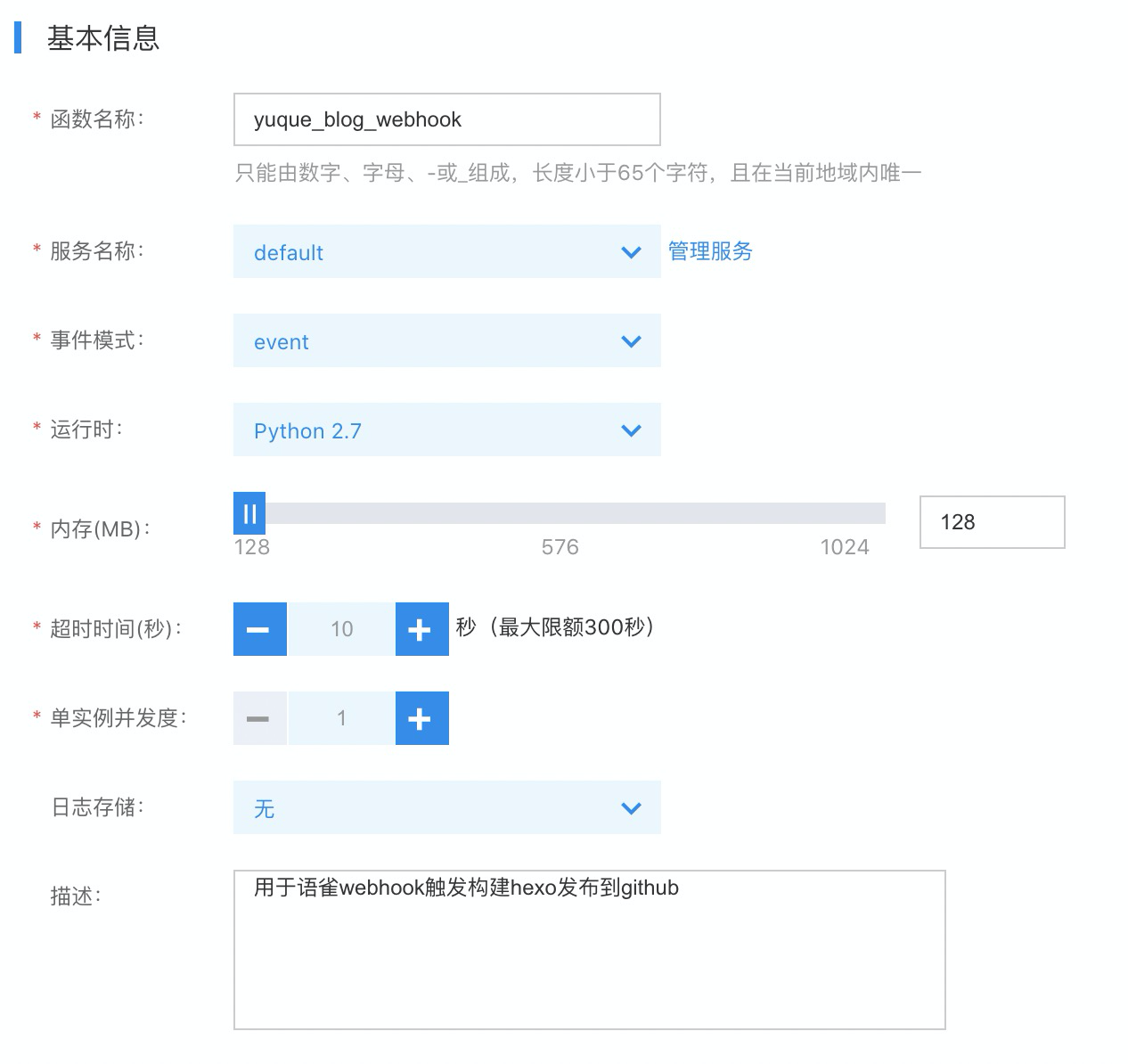
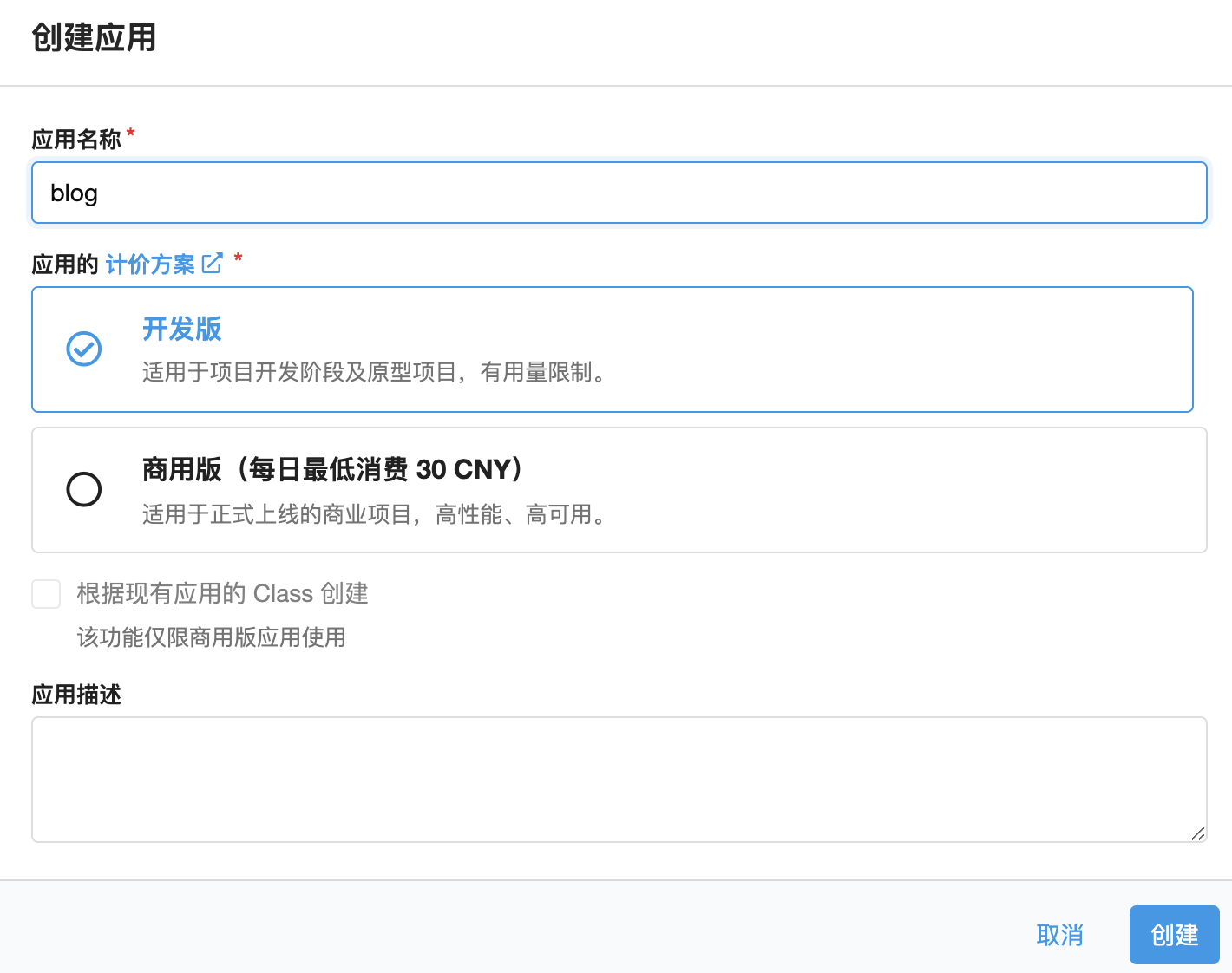
创建应用
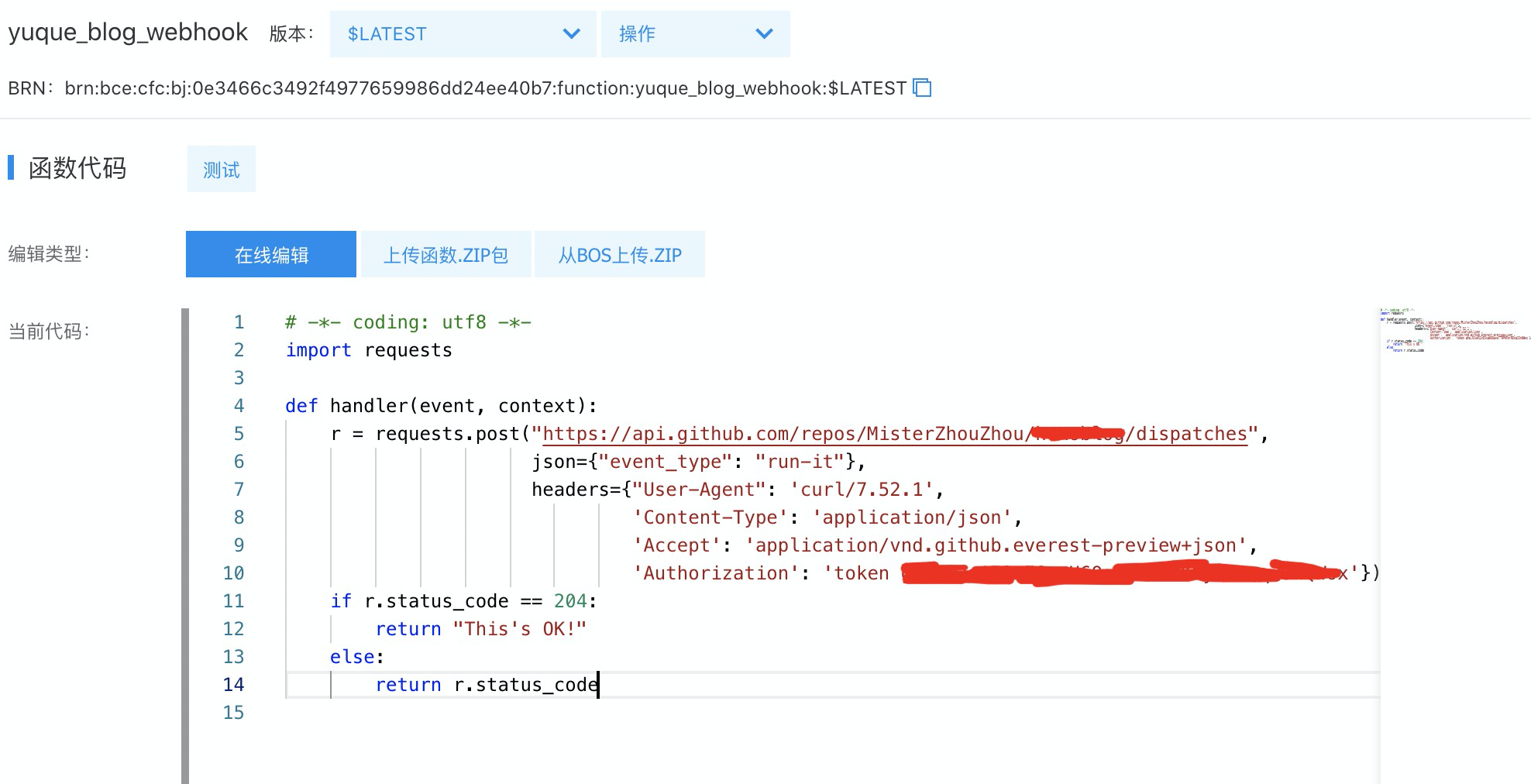
触发 repository_dispatch 构建格式 https://api.github.com/repos/用户名/私有博客名称/dispatches
1 2 3 4 5 6 7 8 9 10 11 12 13 14 # -*- coding: utf8 -*- import requests def handler(event, context): r = requests.post("https://api.github.com/repos/MisterZhouZhou/私有博客名称/dispatches", json = {"event_type": "run-it"}, headers = {"User-Agent":'curl/7.52.1', 'Content-Type': 'application/json', 'Accept': 'application/vnd.github.everest-preview+json', 'Authorization': 'token *******************'}) if r.status_code == 204: return "This's OK!" else: return r.status_code
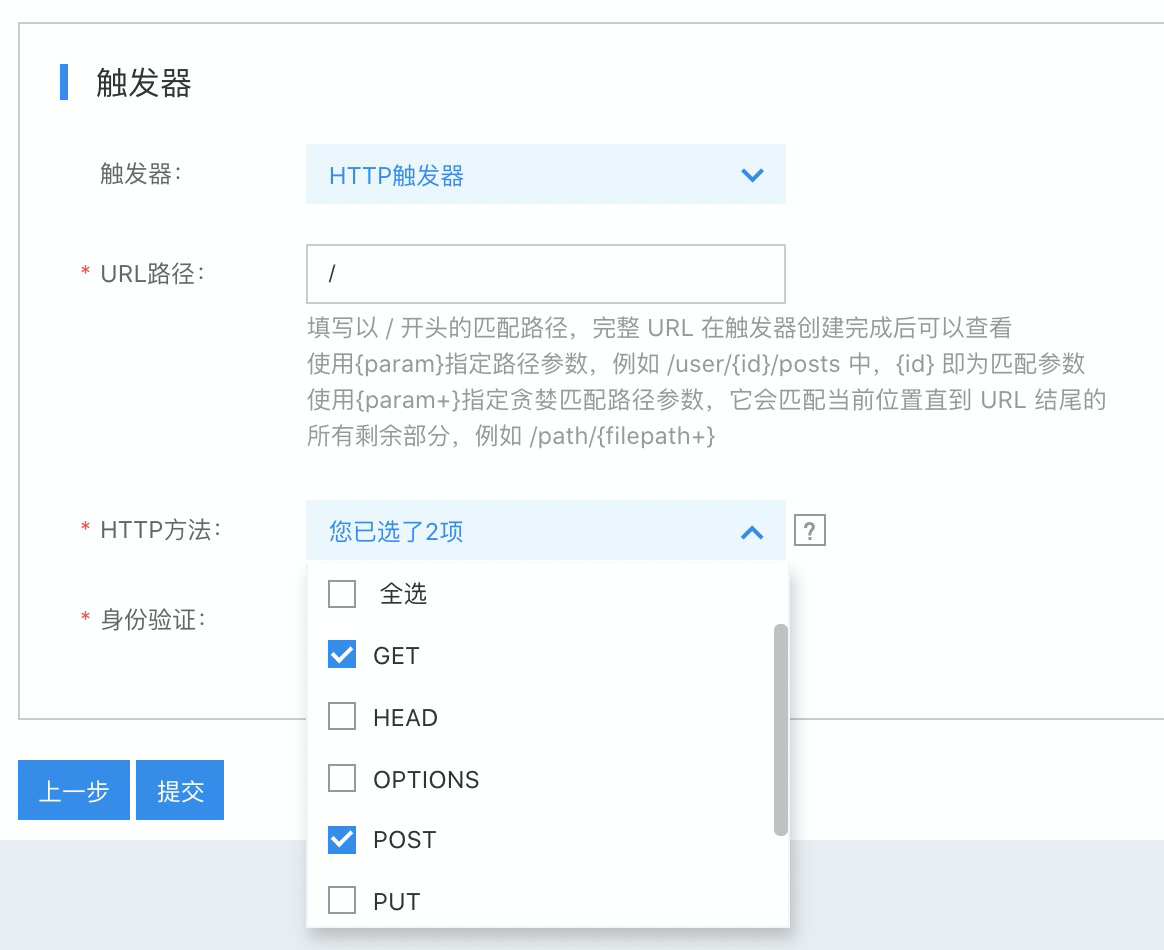
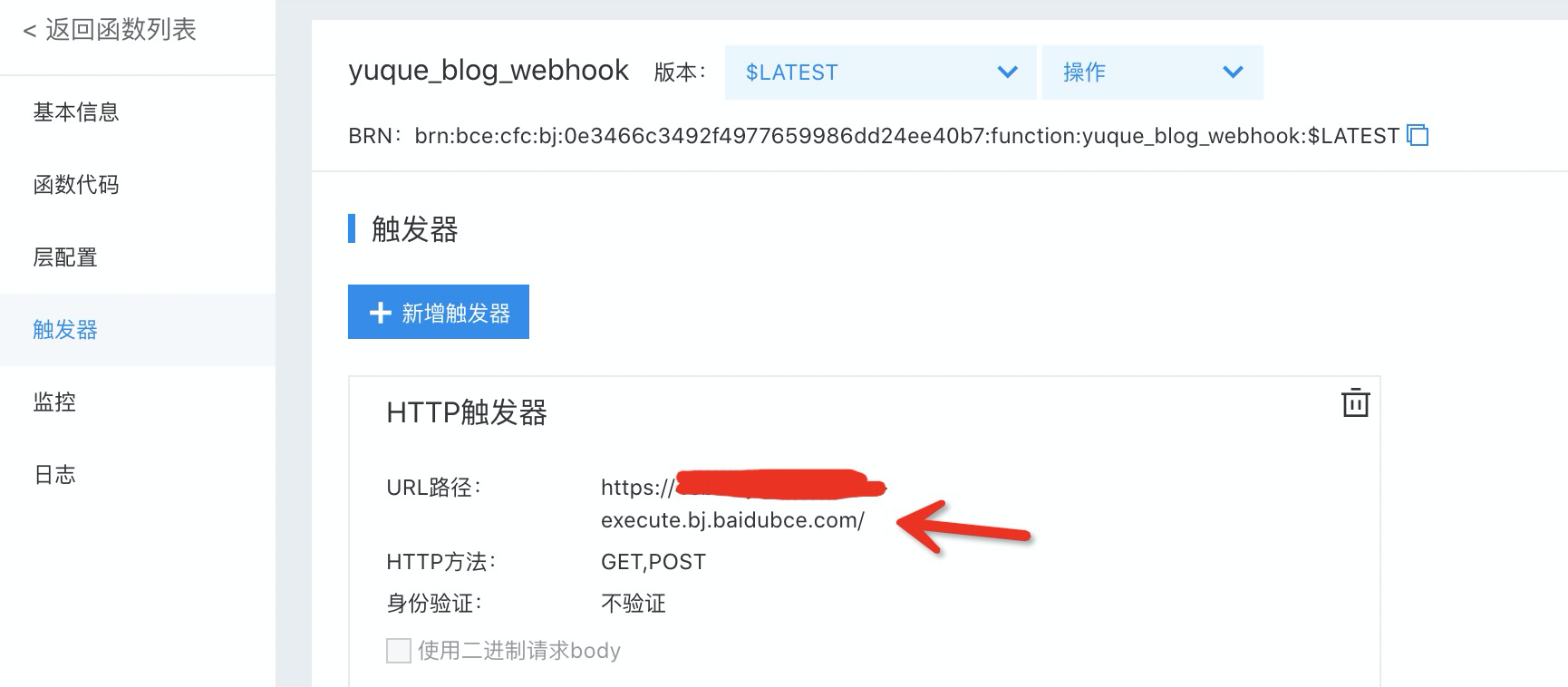
复制 URL 路径作为触发链接,在语雀中进行配置。
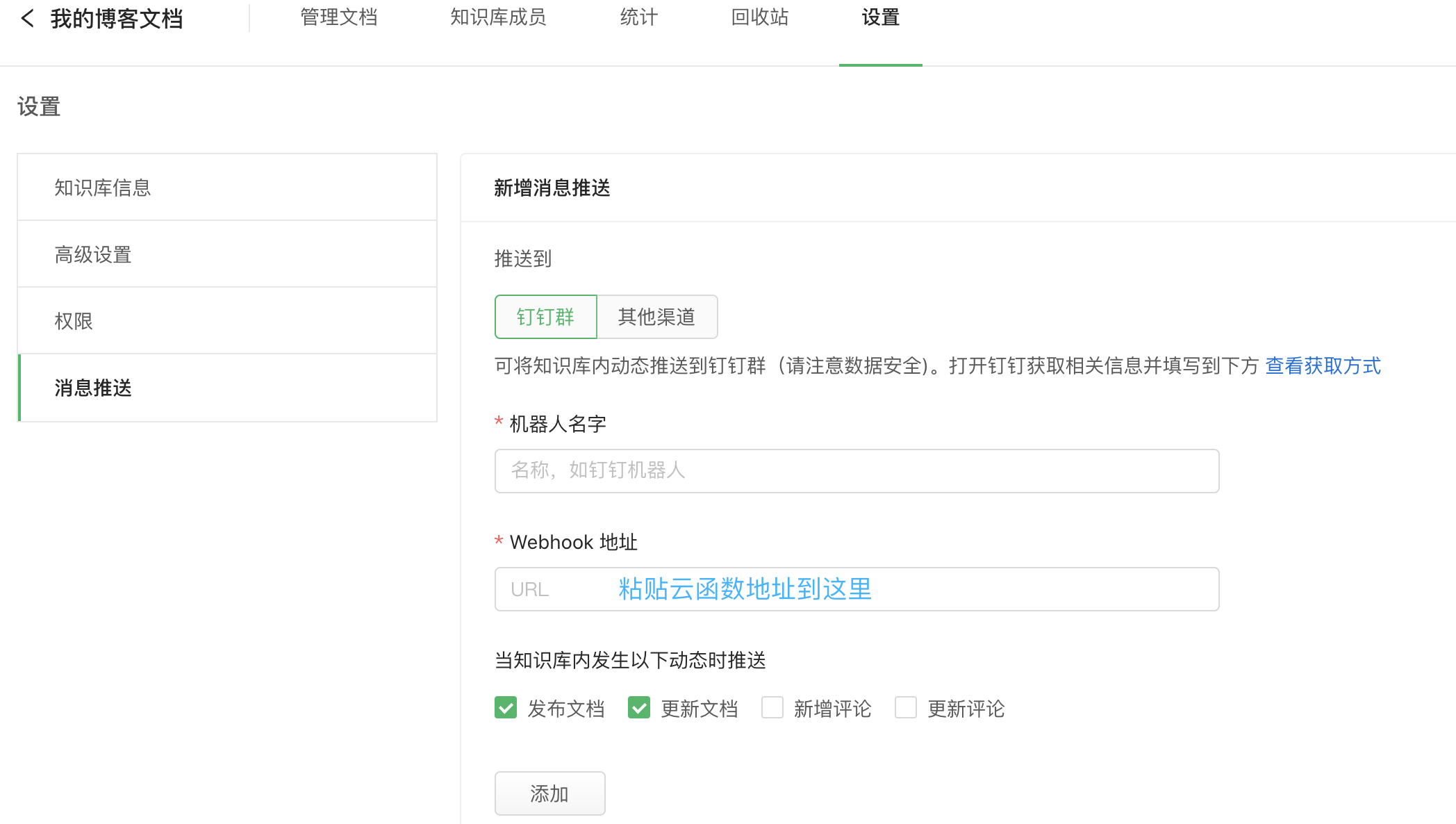
配置语雀的 webhook 选中博客知识库 -> 设置 -> 消息推送 -> 新增消息推送 -> 粘贴云函数到 webhook 地址 -> 添加,发布文字即可触发云函数触发 git actions 构建流程。
评论 这里使用leancloud
创建应用
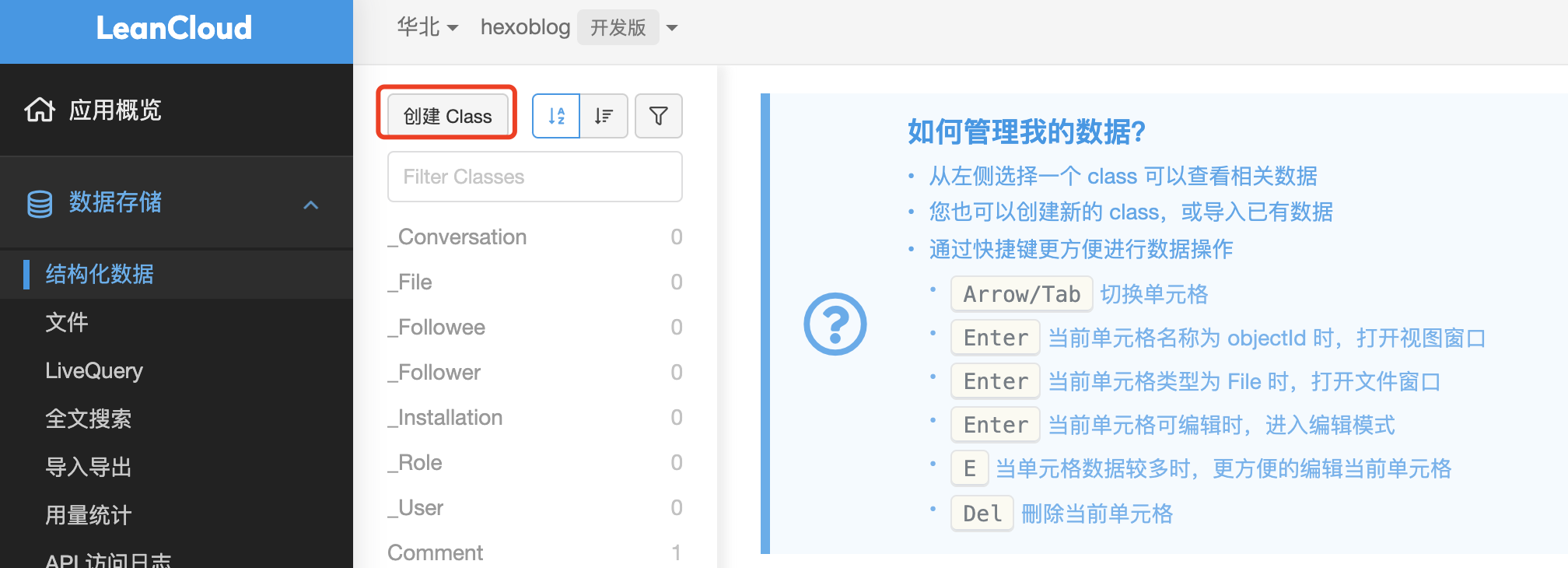
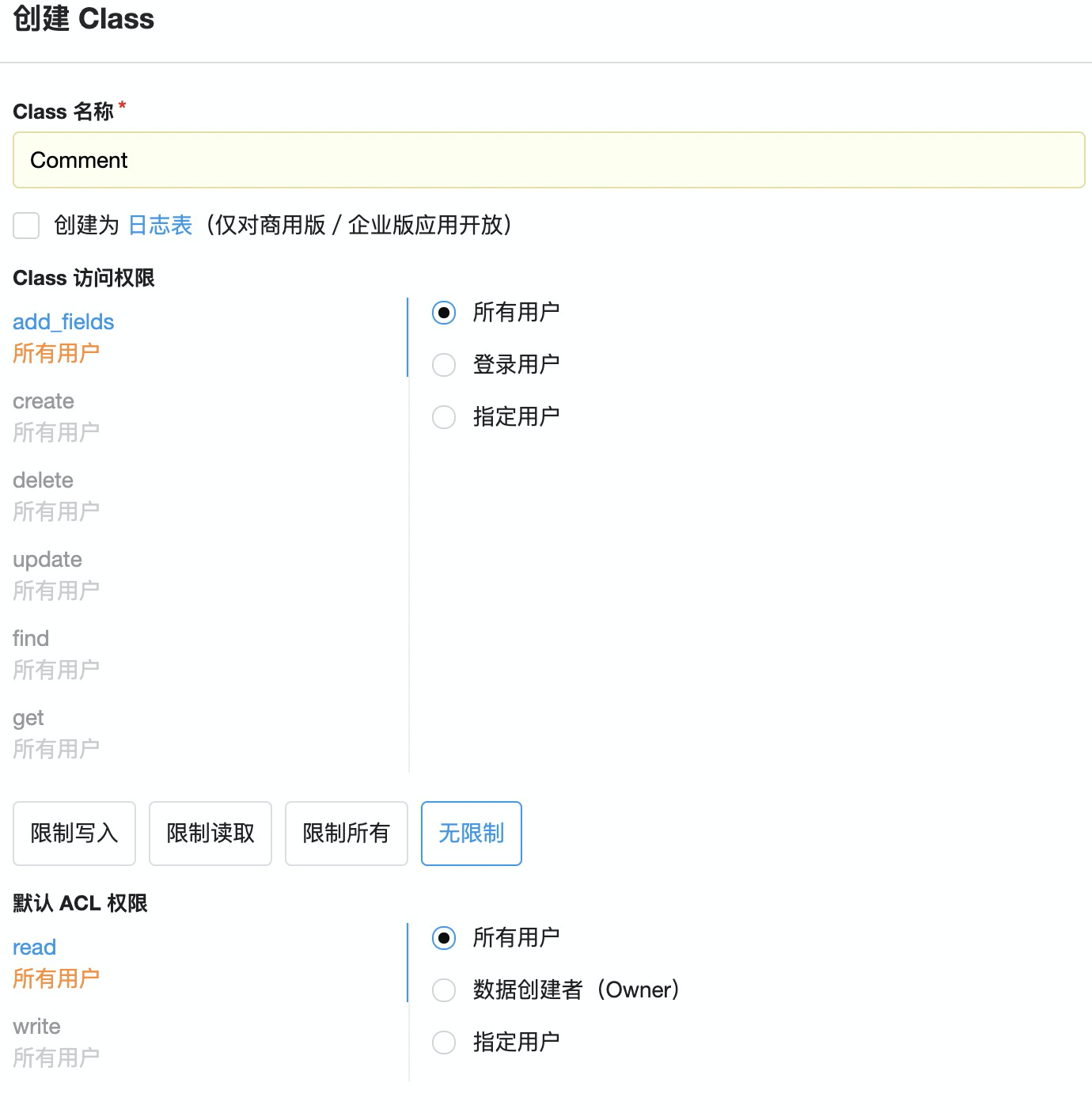
添加 class
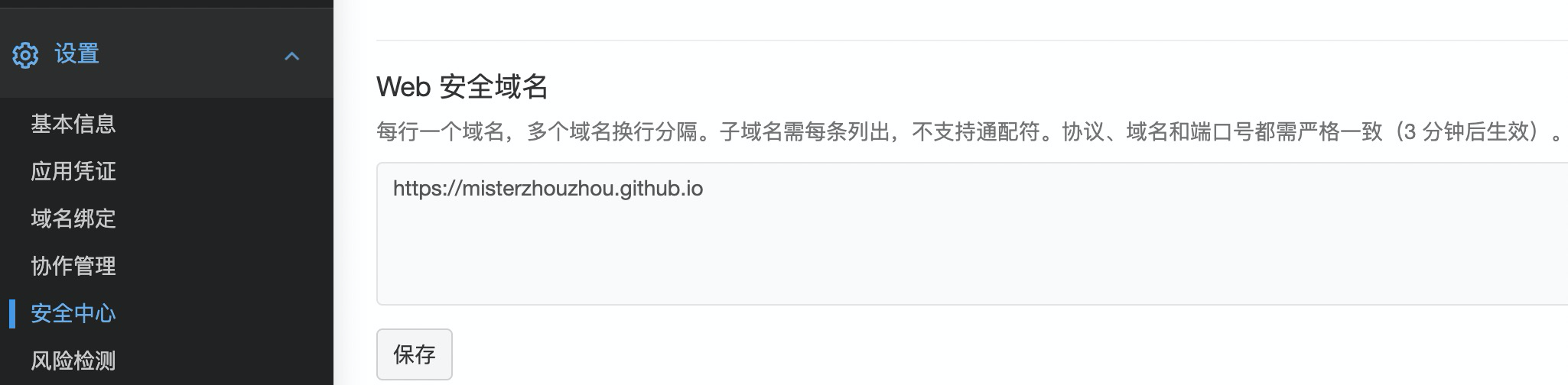
配置 blog 域名
配置 hexo 在 hexo blog -> theme -> butterfly -> _config.yml 开启评论
1 2 3 4 5 6 7 8 9 10 11 12 comments: # Up to two comments system, the first will be shown as default # Choose: Disqus/Disqusjs/Livere/Gitalk/Valine/Waline/Utterances/Facebook Comments/Twikoo use: - Valine text: true # Display the comment name next to the button # lazyload: The comment system will be load when comment element enters the browser's viewport. # If you set it to true, the comment count will be invalid lazyload: true count: true # Display comment count in post's top_img card_post_count: false # Display comment count in Home Page
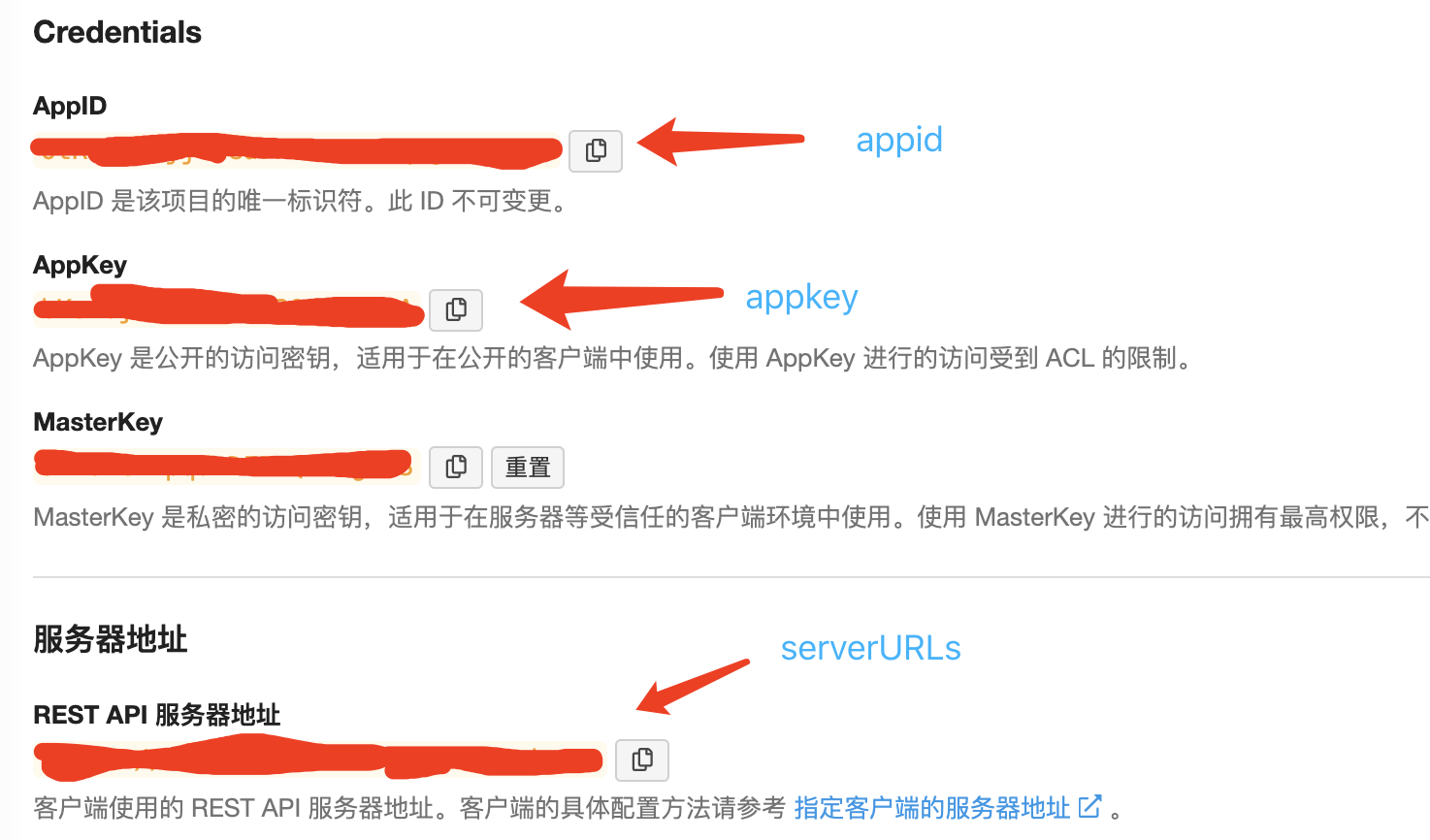
appId、appKey 和 serverURLs 在 控制台 -> 设置 -> 应用凭证 获取。
1 2 3 4 5 6 7 8 9 10 11 12 13 14 15 16 17 18 # valine # https://valine.js.org valine: appId: xxx # leancloud application app id appKey: xxx # leancloud application app key pageSize: 10 # comment list page size avatar: monsterid # gravatar style https://valine.js.org/#/avatar lang: zh-CN # i18n: zh-CN/zh-TW/en/ja placeholder: 记得留下你的联系方式哦 # valine comment input placeholder (like: Please leave your footprints) guest_info: nick,mail,link # valine comment header info (nick/mail/link) recordIP: false # Record reviewer IP serverURLs: xxx # This configuration is suitable for domestic custom domain name users, overseas version will be automatically detected (no need to manually fill in) bg: # valine background emojiCDN: # emoji CDN enableQQ: false # enable the Nickname box to automatically get QQ Nickname and QQ Avatar requiredFields: nick,mail # required fields (nick/mail) visitor: false option:
参考 https://zfe.space/post/554e.html https://segmentfault.com/a/1190000017986794

 微信
微信 支付宝
支付宝